CyberBillingby CaesarSOFT

Internet café & game center billing

Every PC on the floor, billed and under control.

CyberBilling is the server, client and reporting suite for internet cafés: session timing, packages, happy hour, client lock-down and daily reports, from one operator PC.

CyberServer 7.0 · CyberClient 7.2 · CyberReport 2.0

PC statusExample view
PC 01In use01:24 left
PC 02FreeReady
PC 03In useHappy hour
PC 04FreeReady
PC 05In use00:37 left
PC 06In use02:10 left

The same view can be published as a read-only web page, so customers check for a free PC before they come in.

One suite, four parts

Install only what the café needs. Everything shares one Firebird database.

Version 7.0

CyberServer

The operator console. Starts and stops sessions, tracks every PC live, and pushes files to clients.

Version 7.2

CyberClient

Runs on each customer PC. Locks the desktop, shows time left, and syncs desktop shortcuts from the server.

Version 2.0

CyberReport

Income and usage reports for the owner, read straight from the café database.

Online

Web status & report

A public page showing which PCs are free, and reports the owner can open from anywhere.

See it running

CyberServer 7.0 at the operator's desk, and CyberClient 7.2 on the customer's PC. Click a screenshot to open it full size.
Server side

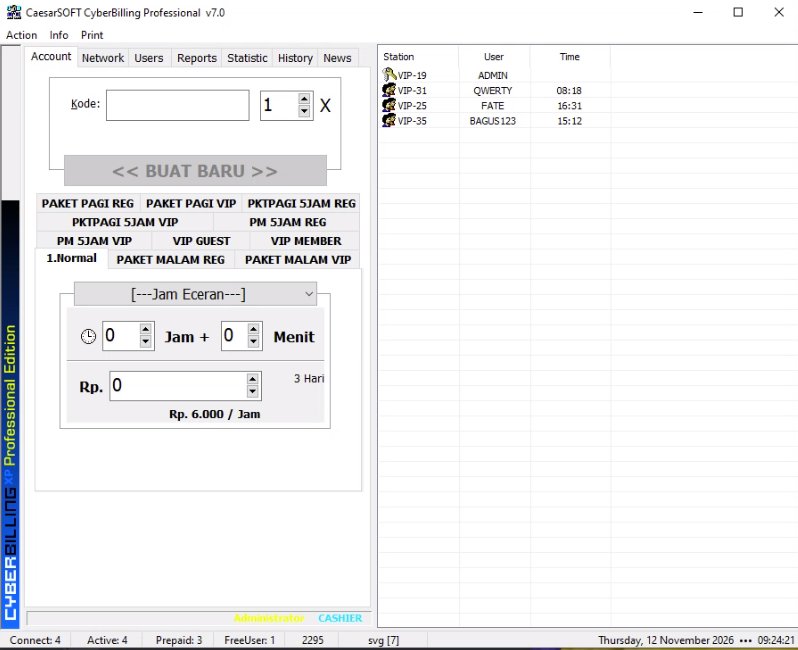
CyberBilling server Account tab with package buttons and an hourly price field
Sell time in secondsPick a package or enter hours and minutes, and the price is worked out for you.
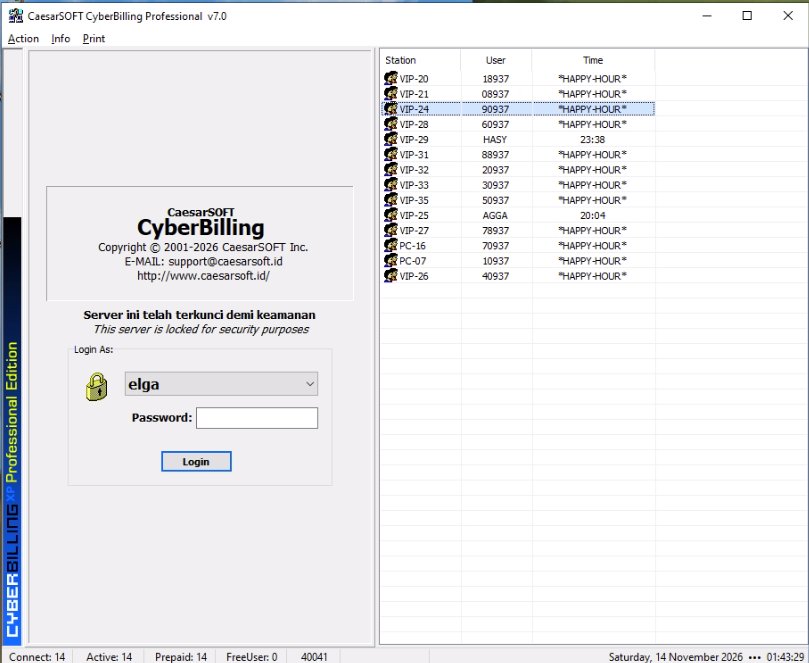
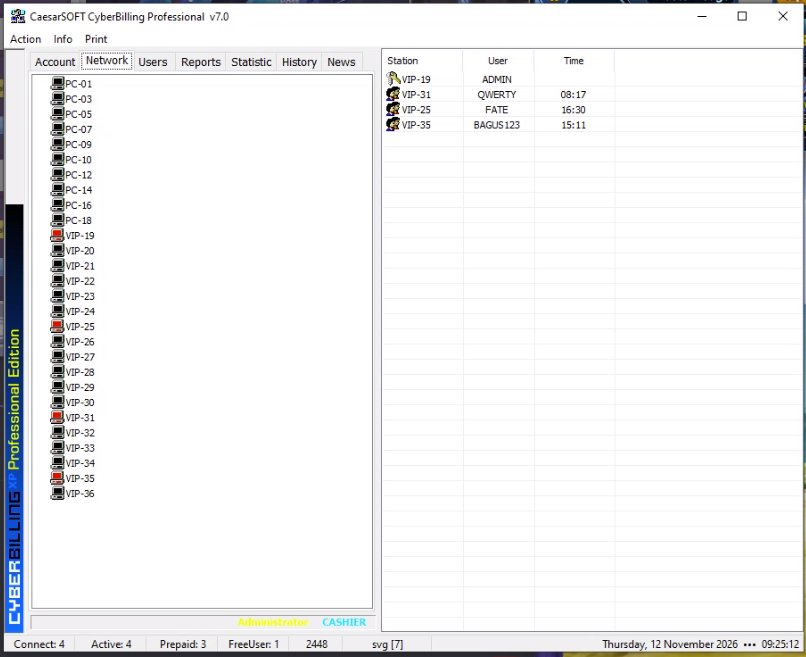
CyberBilling server Network tab listing every station, with stations in use marked red
Every station at a glanceStations in use are marked, with each user and their time alongside.
CyberBilling server locked, asking the operator to log in
Locked when unattendedThe server locks itself after a set idle time, and each operator signs in with their own account.

Client side

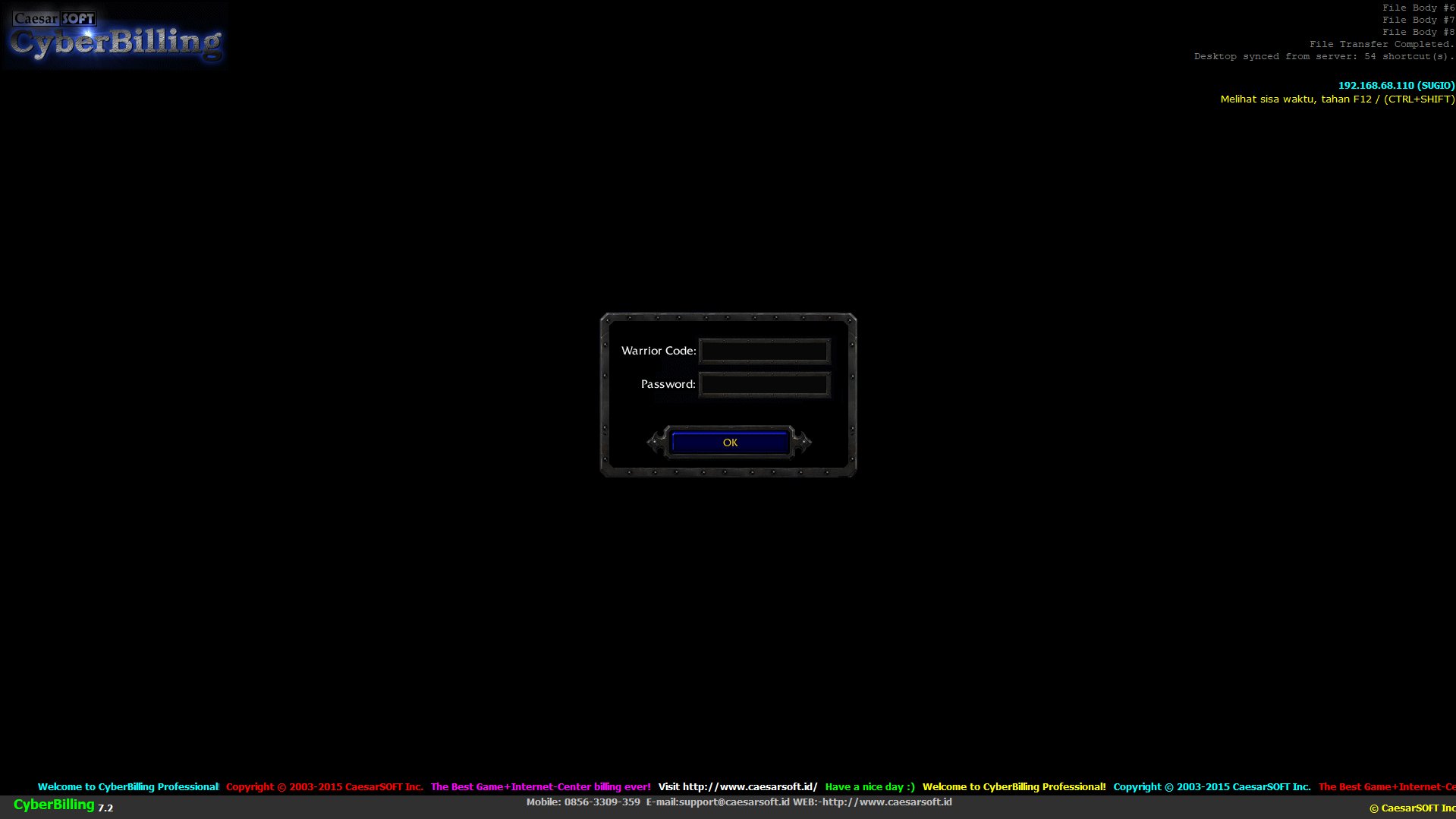
CyberClient lock screen asking for a code and password
Locked until sign-inThe PC stays covered until the customer enters their code and password.
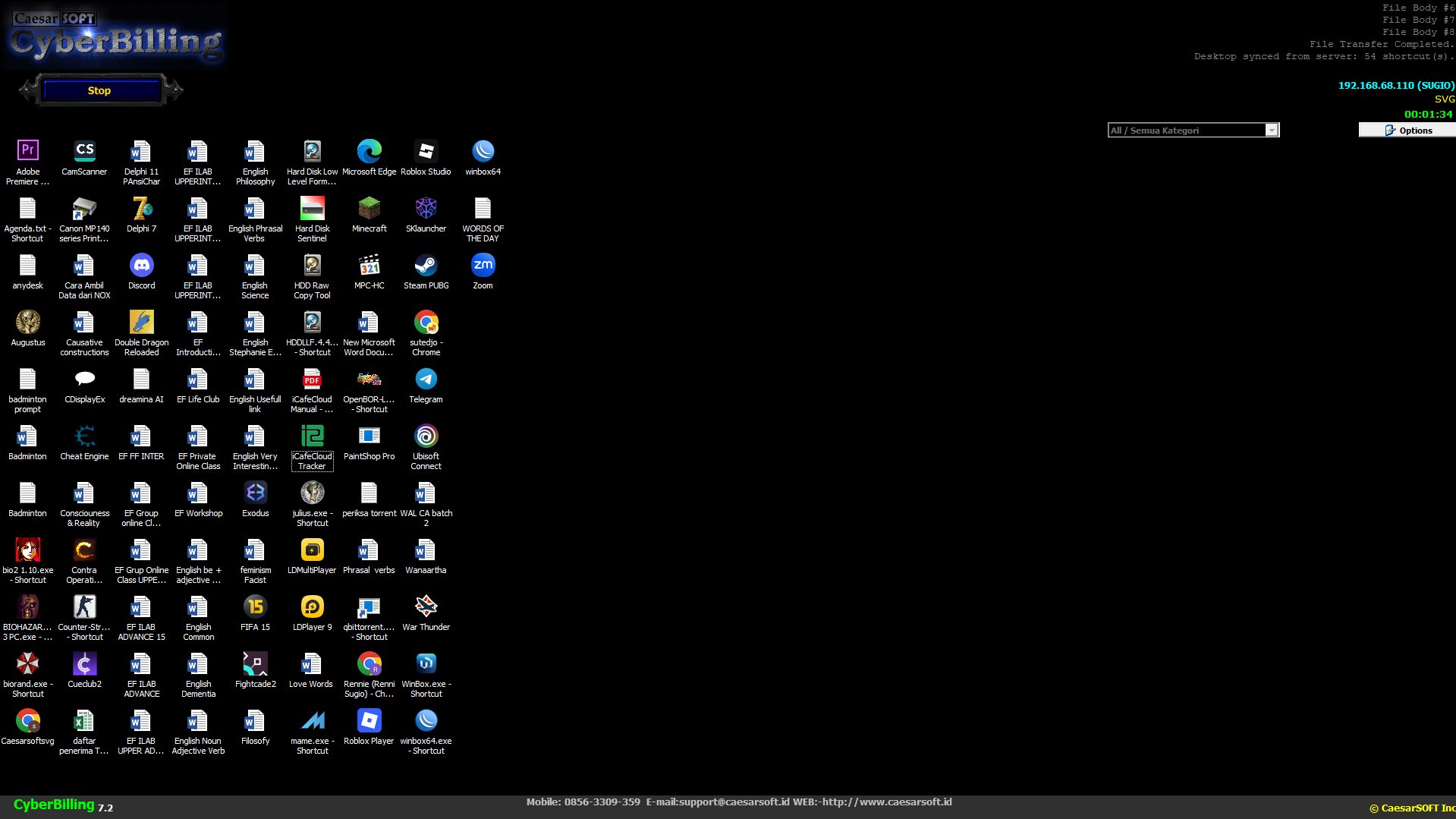
CyberClient desktop with synced shortcuts, a session timer and a Stop button
The café's own desktopShortcuts synced from the server, a session timer on screen, and a Stop button to end the session.

Accounts and packages

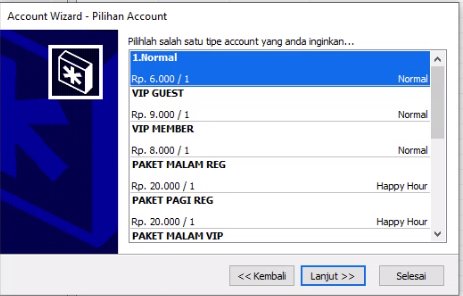
Account Wizard listing account types with their hourly rates
Account types with their own ratesNormal, guest, member and package accounts, each priced separately.
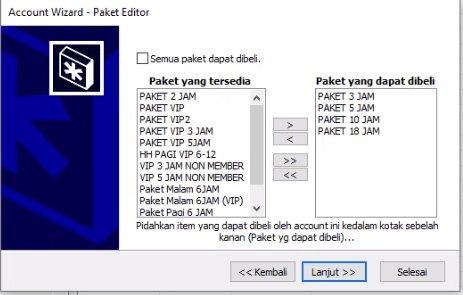
Package Editor choosing which packages an account type may buy
Choose who can buy whatDecide which packages each account type is allowed to buy.
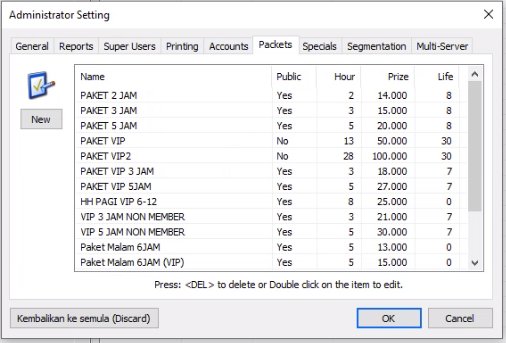
Administrator Setting, Packets tab, listing packages with hours, price and lifetime
Your own packagesSet the hours, price and lifetime of every package, public or private.

Administrator settings

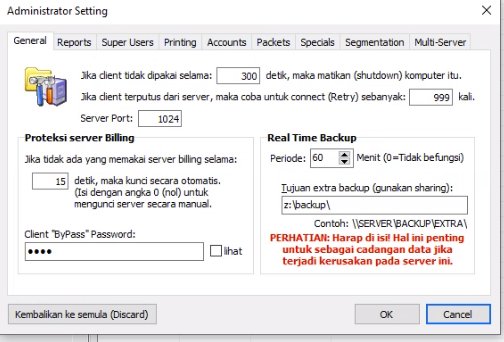
Administrator Setting, General tab, with idle shutdown, server lock and real-time backup options
Protection and backupShut down idle client PCs, lock the server automatically, and back up the data on a timer.
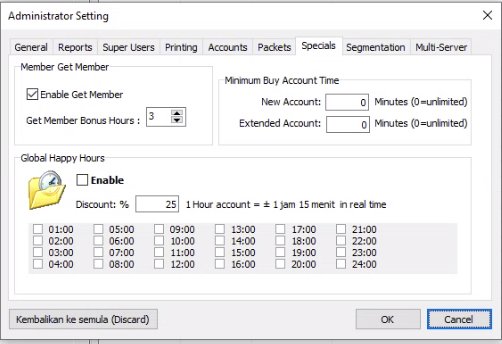
Administrator Setting, Specials tab, with Member Get Member and Global Happy Hours options
Promotions built inMember-get-member bonus hours, and a happy-hour discount for the hours of the day you choose.

Built for how a café actually runs

Session billing with happy hour

Time-based sessions, with a happy-hour discount applied automatically at the hours you pick.

Packages and prepaid accounts

Sell hourly time or your own packages, such as morning, night, VIP and member rates.

Member get member

Reward members with bonus hours when they bring in a new member.

Works on diskless PCs

Clients fetch what they need from the server at start-up, so nothing is lost when a PC resets.

Desktop shortcut sync

Arrange the game shortcuts on one PC, upload once, and every client desktop matches.

Automatic refresh rate

The client sets each monitor's refresh rate, so gaming PCs are ready without manual setup.

Idle shutdown

Client PCs left unused switch themselves off after the time you set.

Real-time backup

The server copies its data to a second location on a schedule, in case the server PC fails.

Firebird database

Runs embedded with no setup, and can move to server mode when other programs need the data.

Up and running in three steps

  1. 1

    Install CyberServer

    On the operator PC. The database is created for you.

  2. 2

    Add CyberClient to each PC

    Or to the diskless image once. Clients find the server on the LAN.

  3. 3

    Set prices and open

    Enter your rates, packages and happy hours, then check the day's income in CyberReport.

Pricing

Trial

Free

[TRIAL LIMITS: days or number of PCs]

Download

Pro Edition

Rp 100.000 / PC / year

[What is included: number of client PCs, updates, support]

Buy a license

Enterprise Edition

Rp 150.000 / PC / year

[What is included: larger cafés, web report, multiple branches]

Contact sales

Contact sales: WhatsApp 0856-3309-359 · support@caesarsoft.id

Try it in your café today

One installer for CyberServer, CyberClient and CyberReport. Requires Windows 10 or 11.